Order management module
Releases, purchase orders and change orders in one place
Project managers create a series of releases based on area, hardware type, exterior frames, doors, or whatever makes the most sense for the project, then order and track against the release schedule.
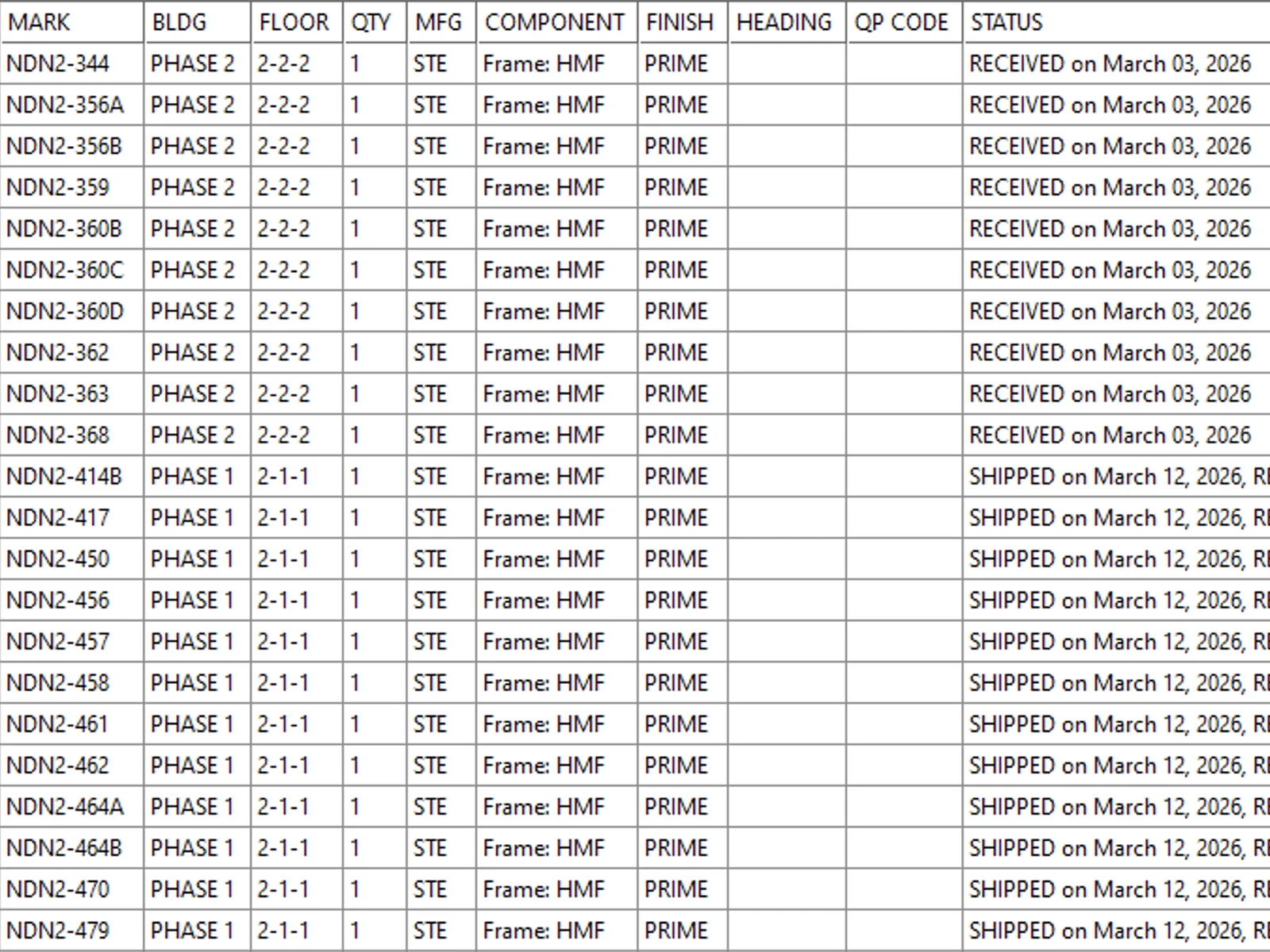
How it works
- Step 01
Releases that fit the job
Create a series of releases based on area, hardware type, exterior frames, doors, or whatever makes the most sense for the project requirements, not a one-size-fits-all order.
- Release by area, hardware type or phase
- Whatever makes sense for the project
- Step 02
Order where it makes sense
Order material from external suppliers or your internal shop based on the release schedule, so procurement follows how the job actually gets built and installed.
- Supplier and shop orders in one place
- POs flow from the release
- Step 03
Track to delivery
Mark each order ordered, shipped or received and log the key dates, so a project manager always knows what has landed and what is still out.
- Status by release and PO
- Released, shipped, received
- Step 04
Change orders
Changes on door jobs are constant. Managing releases and orders in the same system as the estimate keeps a change traceable from the revised opening through to the re-order.
- A change order updates the same record
- Repriced from current books

Why it matters
What it changes for your team
Order from the data you priced
Releases and POs flow from the job, so nobody re-types the schedule into a purchase order.
See the whole job's status
Track every release and PO against the schedule, in one view: released, shipped, received.
Changes don't break the job
A change order updates the same record, so the estimate, the order and the books stay in step.
Order management vs the old way
Without eMullion
- Re-type the schedule into a PO
- Status lives in someone's head
- A change order breaks three systems
With Order management
- POs flow from the priced job
- Track every release to delivery
- One record updates the whole job
Ready when you are
Run releases and POs off one job

Built for the trade
Software that speaks doors and hardware
eMullion is built for the people who quote, detail and order commercial openings, not a generic ERP bent to fit the door-and-hardware workflow.
Estimators
Takeoff, pricing and proposals, fast.
Project managers
One view of every job's status.
Detailers
Schedules, drawings and submittals.
Purchasing
Releases and POs off the same data.
Works with your books
Keep the accounting you already run
eMullion isn't an accounting package. It connects to ContractERP, QuickBooks and TRUE, the systems you already run, so an order raised in eMullion doesn't get re-typed into the books.
- No duplicate entry
- No re-keying
- Finance keeps its tools



What distributors say
Built for the people who quote doors
“eMullion has been around a long time and knows what it's doing, and you're not just a number on a list.”
“There's a bit of a learning curve, but once you get those things down it's definitely user-friendly. The support has been great, it prevents a lot of user error, and it gives us a better product to turn around.”
Frequently asked questions
Can we order from our own shop as well as suppliers?
How do we know what's been delivered?
How is eMullion priced?
Can we bring our existing data across?
Does it work the same for US and Canadian distributors?
How does a module fit with the rest of eMullion?
Everything in one place
Explore the platform, module by module
Bid, detail, order and track. Start wherever you need to, and eMullion carries the rest of the job.
Ready when you are
Run releases and POs off one job
Book a demo to see releases, purchase orders and change orders tracked against the schedule. No re-keying.